Cleaning schedule app · Android

Your daily cleaning schedule, done for you.

Casa al Día organizes your household chores: tell it how many minutes you have and it tells you what to clean today, most urgent first. Share chores, earn points and watch every room shine.

Coming soon toGoogle Play See how it works
  • ✓ Free
  • ✓ No sign-up
  • ✓ No ads
  • ✓ Works offline
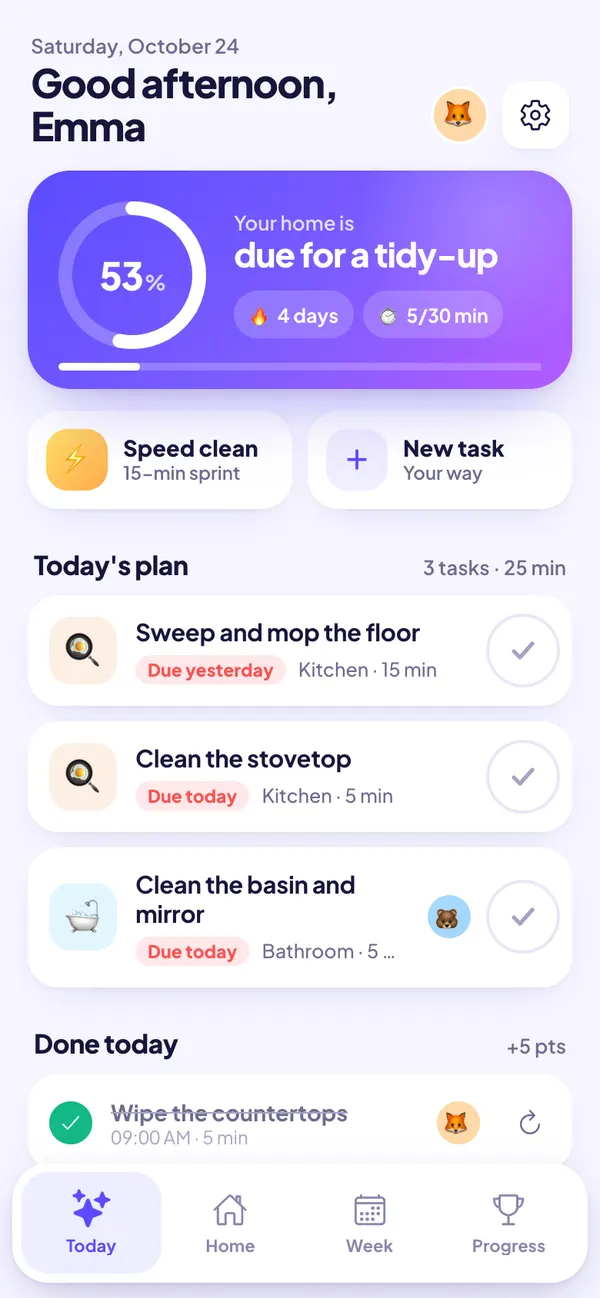
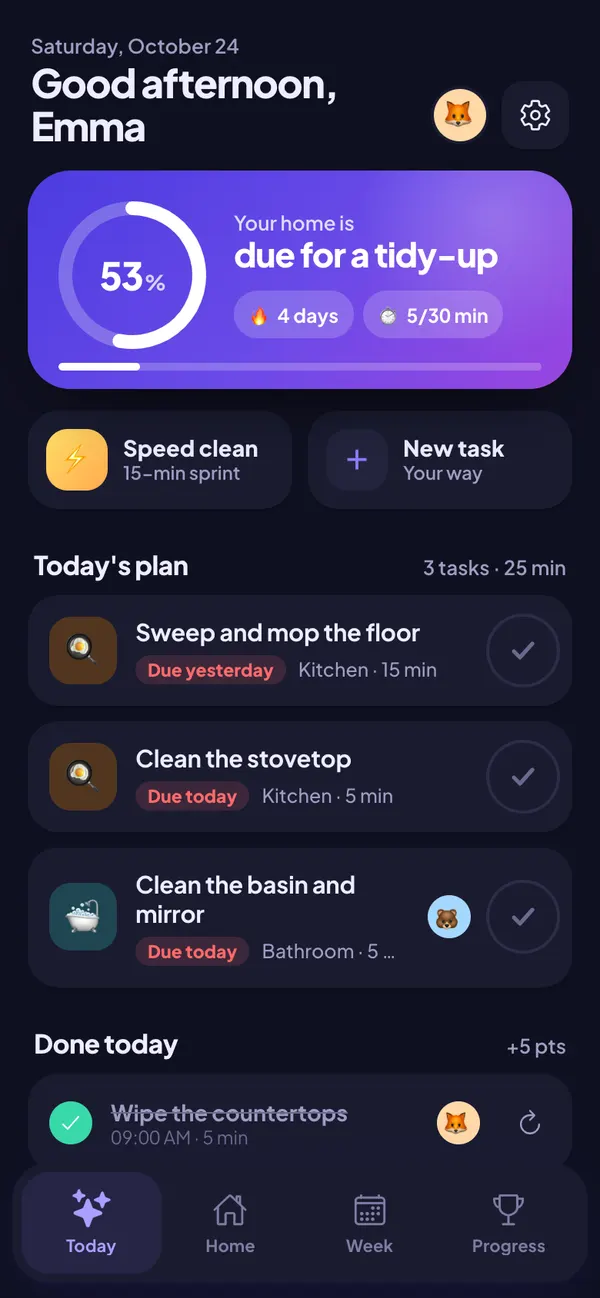
Casa al Día Today screen: home cleanliness level, streak and today's cleaning plan with the chores that are due
How it works

A house cleaning schedule in three steps

No spreadsheets, no endless lists and no arguing about who does what.

Tell us about your home

Pick your rooms (kitchen, bathrooms, living room, bedrooms…) and we add the usual chores for each one, with how often they need doing.

Choose your pace

10, 20 or 45 minutes a day? Your cleaning plan fits your time and never asks for more than you have.

Tick off and earn points

Every day you see what's due, tick it off with one tap and your home levels up. With streaks, achievements and a family ranking.

Features

Everything you need to keep a clean house

An automatic daily cleaning plan

Every chore “gets dirty” over the days according to its frequency. Casa al Día adds up what's dirtiest until your minutes are filled and hands you the plan. Finish it and enjoy the celebration.

  • Urgent first: what was due yesterday comes before what's due tomorrow.
  • Completing a chore is one tap, with undo in case of mistakes.
  • Spare time? It suggests chores that are coming up.
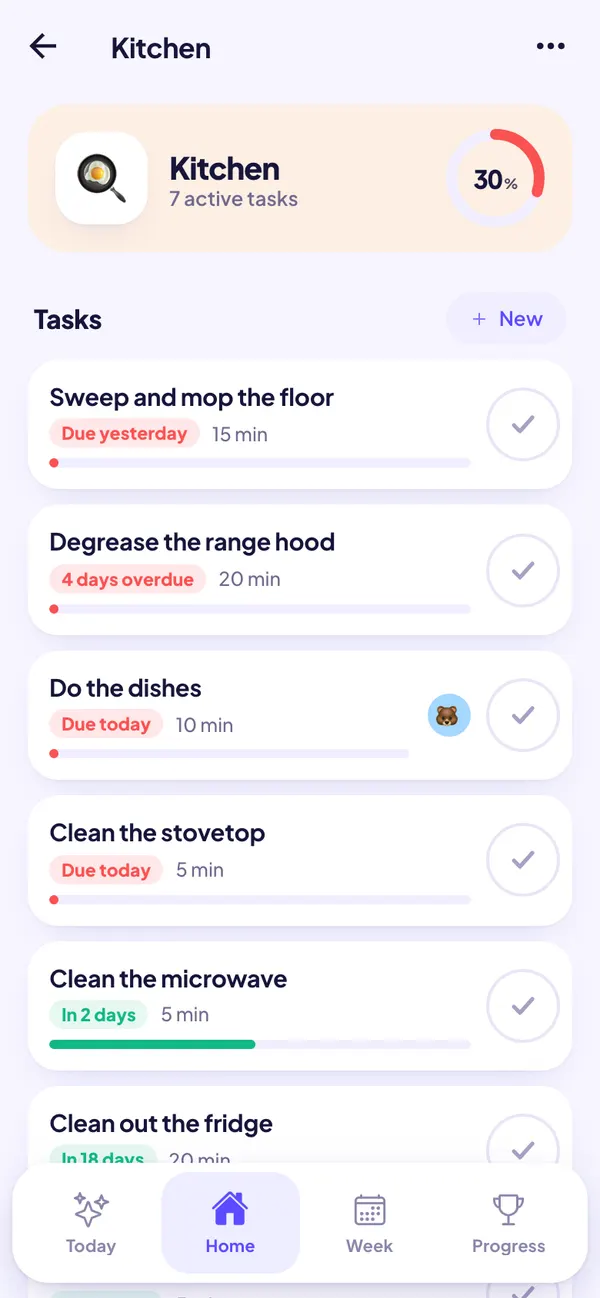
Kitchen cleaning chores with a cleanliness bar and when each one is due

Every room at a glance

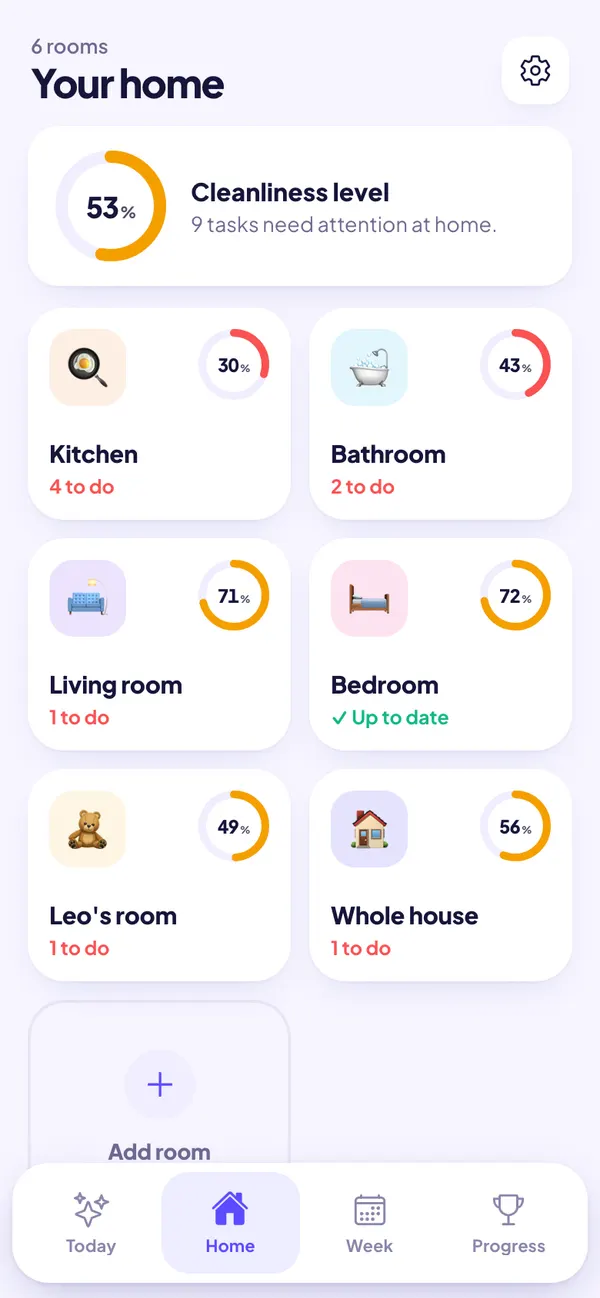
Kitchen, bathroom, living room, bedrooms, balcony… Each room shows its cleanliness level and the chores that need attention.

  • 70+ suggested chores with realistic frequencies and durations.
  • Snooze, pause or mark any chore as done on another day.
  • Create your own chores: how often, how long and whose turn it is.
Home view: cleanliness level of the whole house and of every room with pending chores

Weekly cleaning calendar

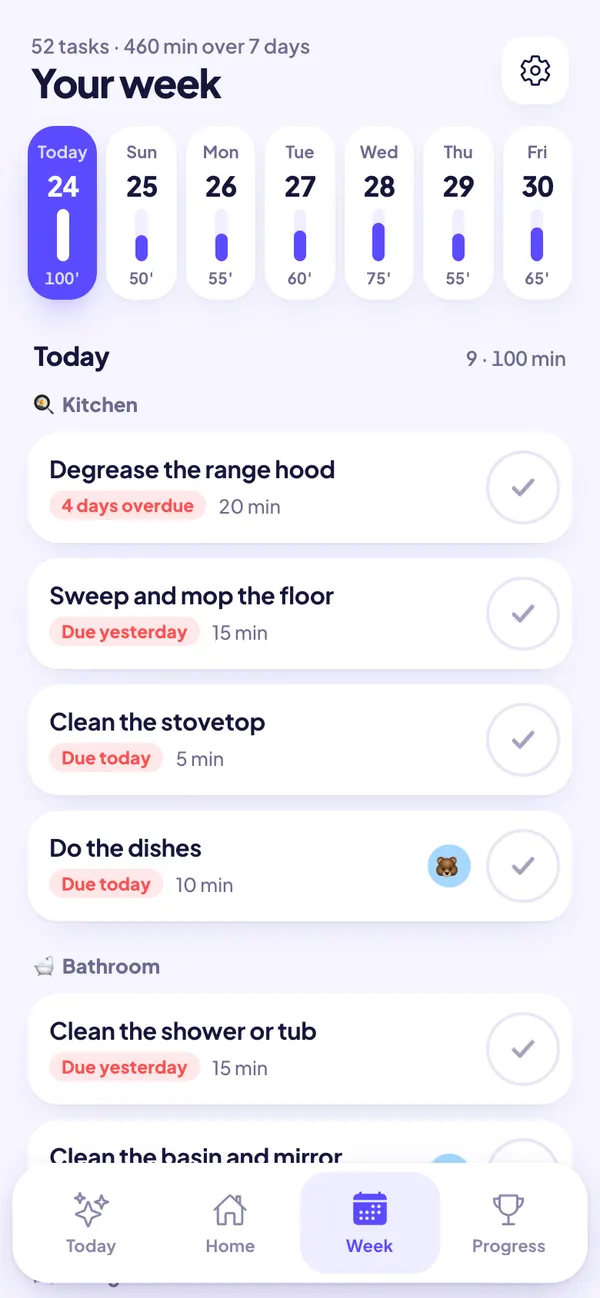
See what's due on each of the next seven days and how many minutes it takes. Perfect for planning the weekend clean or spreading the load through the week.

Weekly cleaning calendar with minutes per day and chores grouped by room

A fair chore chart for the whole family

Add your partner, your kids or your roommates. Assign fixed chores or let everyone take turns, and let the weekly ranking do the rest.

  • Automatic turns: the chore moves to the next person when someone does it.
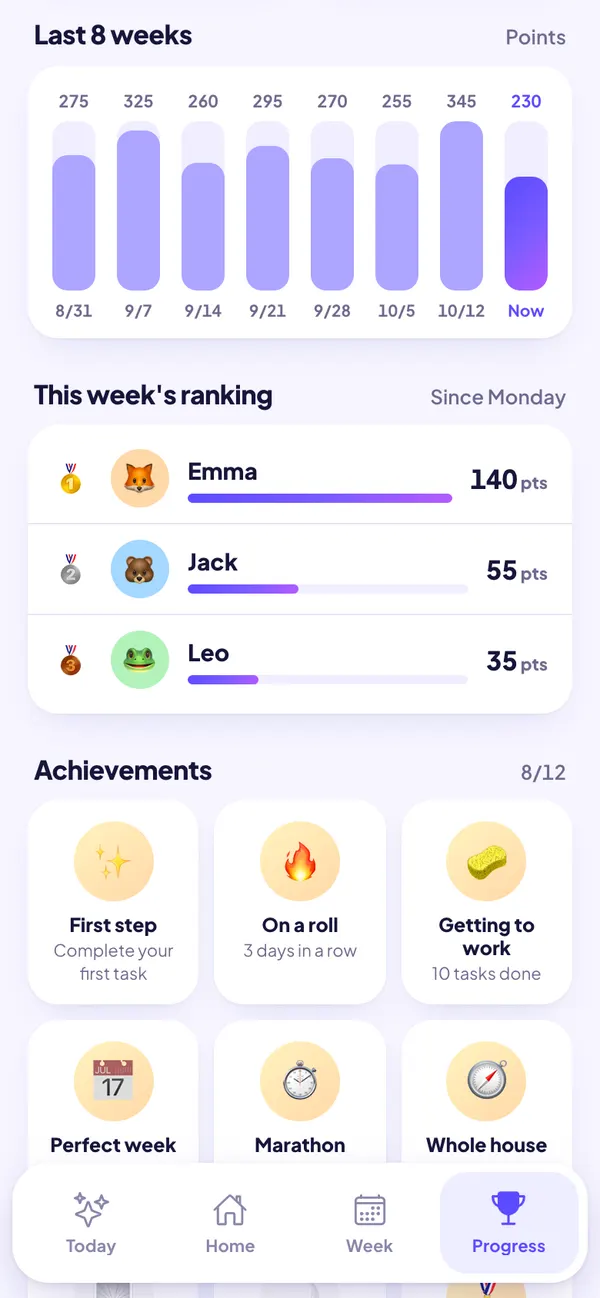
  • Points based on each chore's time and a weekly podium.
  • 12 achievements, streaks and a chart of the last eight weeks.
Weekly points ranking between household members and unlocked achievements

Speed clean: a tidy home in 15 minutes

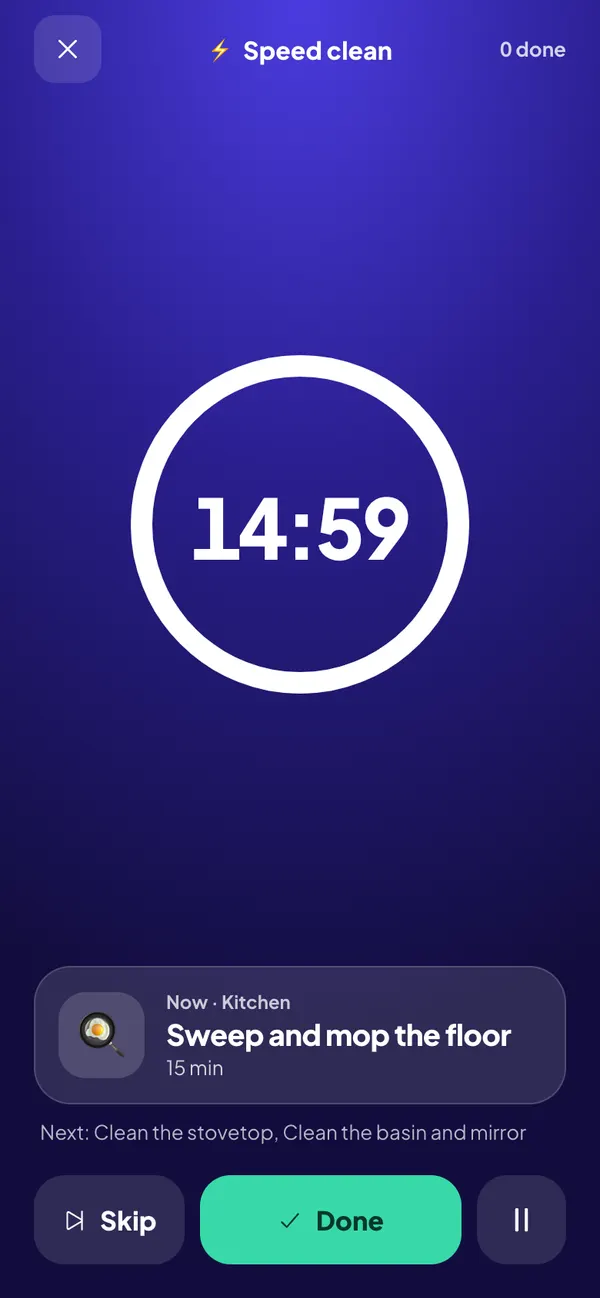
Guests on their way or short on time? Start a speed clean, pick 5, 10, 15 or 20 minutes and work through a queue of short, urgent chores against the clock.

Speed clean mode: 15-minute countdown with the current chore and the next ones

Private, ad-free and with dark mode

No account and no servers: everything stays on your phone. Export a backup whenever you want and switch between light and dark themes.

Casa al Día in dark mode: today's cleaning plan
FAQ

Questions about the app

Is Casa al Día free?

Yes. Casa al Día is free, has no ads and needs no account. If you want more, Casa al Día Pro is a one-time purchase (no subscription) that adds unlimited people, vacation mode, app colors and your full history.

How does the app decide which chores are due today?

Every chore has a frequency (daily, weekly, monthly…) and the app works out how dirty it has become since it was last done. With the minutes you have each day, it builds your plan starting with the most urgent chores.

Can I share chores with my partner, kids or roommates?

Yes. Add the people who live with you, assign chores to each person or let them take turns, and see a weekly points ranking so the split stays fair.

Does it need internet or store my data in the cloud?

No. It works offline and all your data stays on your phone. You can export a backup whenever you like.

Why is it called Casa al Día?

It is Spanish for “home up to date”: a home where nothing piles up. The app is fully translated into English, including all 70+ suggested chores.

Your home, under control. Stress-free.

Get Casa al Día and let your cleaning schedule build itself.

Coming soon toGoogle Play